


Intro
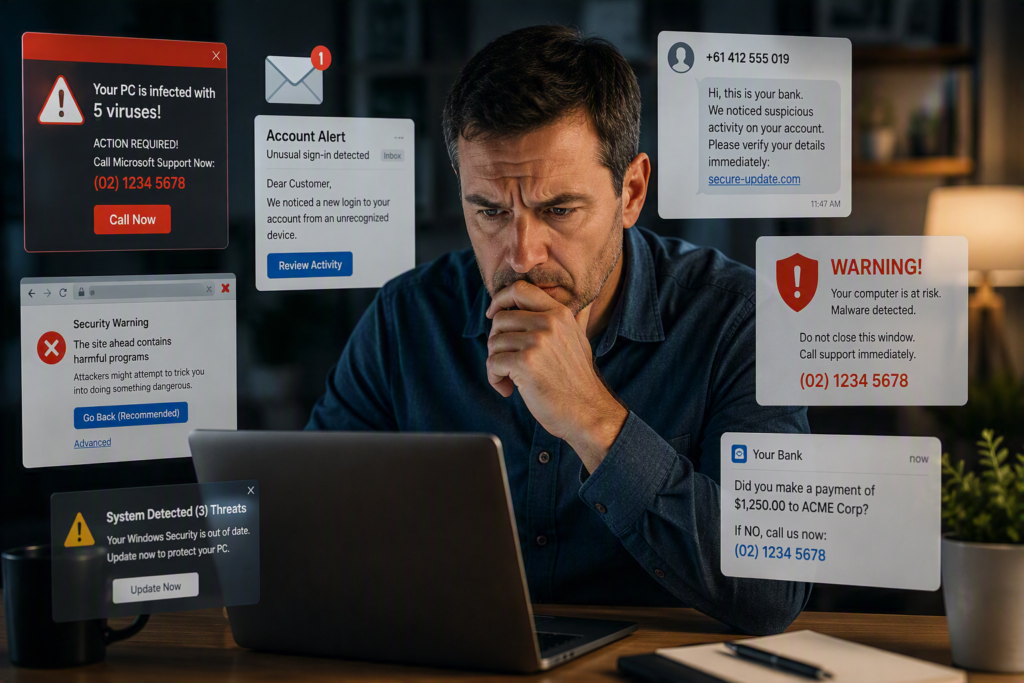
Scammers and hackers are becoming more sophisticated every day. Many now use artificial intelligence (AI) to make their scams appear more convincing and trustworthy.
Remember the old saying, updated for the modern world:
“If it sounds too good to be true, it probably is.”
Taking a few moments to stop and think before acting could save you thousands of dollars and countless hours of stress.
Browser Notification Scams
We hear about this scam all too often.
You’re browsing the internet and visit a website, possibly even one you’ve used safely before. Suddenly, a full-screen alert appears warning that your computer is infected. It tells you to call a phone number immediately or face serious consequences.
Do not call the number.
This is where the real scam begins.
These fake warnings are designed to look urgent and frightening. They often use:
- Large red text
- Flashing warnings
- Messages claiming your device is infected
- Instructions not to turn off your computer
- Urgent demands to call a support number immediately
The goal is simple: make you panic and act without thinking.
Instead:
- Stay calm.
- Close the browser window if possible.
- If you cannot close it, restart your computer.
- If necessary, press and hold the power button as a last resort.
- If you’re still concerned, contact a trusted local IT professional for advice.
In most cases, your computer is not infected. The scammers simply use browser tricks to display a convincing full-screen message that can be difficult to close.
After restarting your device, the warning will often disappear completely. If it returns, it may be caused by browser notifications that have been enabled in Chrome, Edge, Firefox, or another browser.
Never Give Remote Access to Strangers
If you call the number shown in one of these fake alerts, the scammer will usually claim they need access to your computer to remove the infection.
Never allow this.
Once a scammer gains remote access to your device, they may:
- Steal personal information
- Access online banking
- Install malicious software
- Demand payment for fake repairs
- Cause financial loss
If a scammer has accessed your computer, you should stop using it and seek professional assistance immediately.
In many cases, the safest solution is to:
- Back up your important files.
- Completely wipe the device.
- Reinstall the operating system.
- Restore your data from the backup.
Professional recovery and reinstallation services typically cost between $100 and $200, depending on the amount of data and software involved.
Unsolicited Phone Calls
Be cautious of unexpected phone calls from someone claiming to represent a company, government department, bank, or service provider.
Before providing any information or allowing access to your devices, verify who they are.
A legitimate organisation that already deals with you should be able to confirm details such as:
- Your name
- Your address
- Your date of birth
- An account, customer, invoice, or service number
If they cannot provide basic identifying information:
- Ask for their name and staff ID.
- End the call.
- Look up the company’s official phone number from a reputable source.
- Call the company back directly using their published number.
Never rely solely on a phone number provided by the caller.
What If You Gave a Scammer Access to Your Computer?
If you think a scammer has accessed your computer, act quickly.
- Call your bank immediately.
- Ask them to secure your accounts.
- Request new cards and banking credentials if required.
- They can check whether any money has been taken or if suspicious transactions have been attempted.
- Stop using the computer.
- Disconnect it from the internet until it can be checked.
- Contact – TDB Software 9390 7457
- We can help assess the situation and advise on the next steps.
- In many cases, the safest option is a complete backup, wipe, and reinstall of the computer.
- We can also help identify any other accounts or information that may have been affected.
Stay Safe Online
Scammers rely on people acting quickly and emotionally. Taking a moment to stop, think, and verify can prevent a costly mistake.
Remember:
Trust, but verify.
Or, as Dr. House famously put it:
“Everybody lies.”
And don’t forget:
There’s no such thing as a free lunch.
